




Project
POSSE Publisher
An Obsidian plugin that implements the IndieWeb POSSE workflow: publish to your own canonical site first, then syndicate the same post to platforms like Dev.to, Mastodon, and Bluesky while preserving canonical attribution.
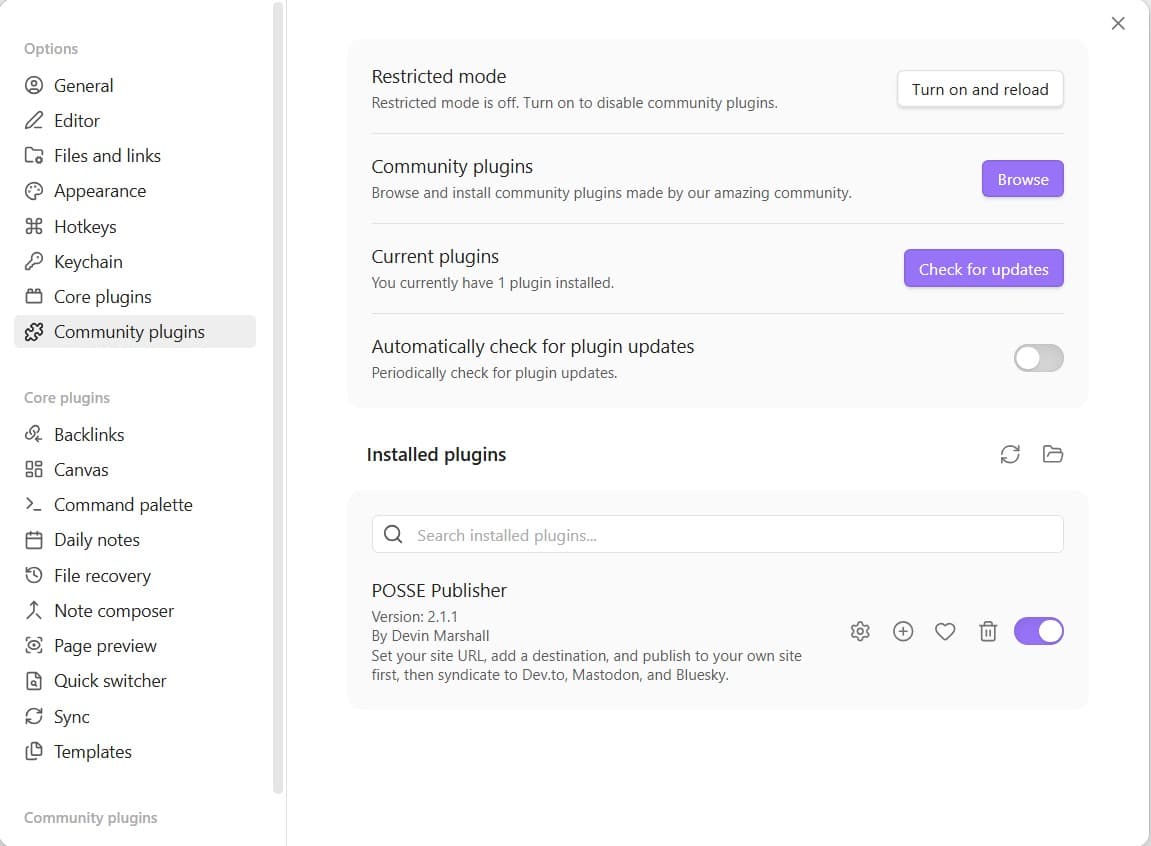
POSSE Publisher is a TypeScript-based Obsidian plugin I built to help writers and creators own their publishing workflow. Instead of publishing directly to third-party platforms, users write in Obsidian, publish to their own site as the source of truth, and then syndicate outward to social and content networks. The plugin supports destination-based publishing, frontmatter-driven metadata, canonical URL handling, syndication URL tracking back into notes, and content preprocessing for Obsidian-specific syntax. I designed the architecture to be extensible, with live support for custom API, Dev.to, Mastodon, and Bluesky, plus roadmap-ready destination types for Medium, Reddit, Threads, LinkedIn, and Ecency.
Project README
POSSE Publisher — Obsidian Plugin
Publish on your Own Site, Syndicate Elsewhere.
POSSE Publisher brings the IndieWeb POSSE philosophy to Obsidian. Write once in your vault, publish to your canonical site first, then syndicate copies to platforms like Dev.to, Mastodon, Bluesky, Medium, Reddit, Threads, LinkedIn, and Ecency — with every syndicated copy linking back to your original.
Your content. Your domain. Your canonical URL.
Quick start
- Open Settings > POSSE Publisher.
- Enter your canonical base URL for your site.
- Click Add destination and configure one supported destination.
- Open a note and add simple frontmatter:
---
title: My first post
status: draft
---
- Run POSSE publish from the command palette or use the ribbon icon.
Start with Custom API, Dev.to, Mastodon, or Bluesky for the fastest setup.
What is POSSE?
POSSE is a publishing strategy from the IndieWeb community:
- Publish the original on your own site (blog, portfolio, etc.)
- Syndicate copies to silos (Dev.to, Mastodon, Bluesky, etc.)
- Every copy links back to the canonical original you own
This means your domain holds the canonical version, search engines index your site, and you keep full ownership — while still reaching audiences on the platforms they use.
Installation
From Community Plugins (Recommended)
- Open Settings → Community plugins → Browse
- Search for "POSSE Publisher"
- Click Install, then Enable
Manual Install
- Download
main.js,manifest.json, andstyles.cssfrom the latest release - Create a folder at
<vault>/.obsidian/plugins/posse-publisher/ - Copy the downloaded files into that folder
- Restart Obsidian and enable the plugin under Settings → Community Plugins
Build from Source
git clone https://github.com/TheOfficialDM/posse-publisher.git
cd posse-publisher
npm install
npm run build
Copy main.js, manifest.json, and styles.css into your vault's plugins folder.
Setup
- Open Settings > POSSE Publisher.
- Enter your canonical base URL. This is your site's root URL.
- Click Add destination and start with one supported platform.
- Paste the API key or token for that destination.
- Open a note, then run POSSE publish.
Destinations
Add as many destinations as you need. Each destination has a type that controls how content is formatted and delivered.
| Type | Platform | Auth | Status |
|---|---|---|---|
custom-api |
Your own site's /api/publish endpoint |
API key (x-publish-key header) |
Live |
devto |
Dev.to | API key | Live |
mastodon |
Mastodon (any instance) | Access token | Live |
bluesky |
Bluesky (bsky.app) | App password | Live |
medium |
Medium | Integration token | Coming soon |
reddit |
OAuth2 (client ID + secret + refresh token) | Coming soon | |
threads |
Threads | Meta access token | Coming soon |
linkedin |
OAuth2 bearer token | Coming soon | |
ecency |
Ecency (Hive blockchain) | Hive posting key | Coming soon |
Note: Start with Custom API, Dev.to, Mastodon, or Bluesky. The other destinations can stay unconfigured until support is live.
- 1 destination — commands publish directly
- 2+ destinations — a picker modal lets you choose the target
- POSSE to All command — syndicate to every destination at once
Commands
| Command | Behaviour |
|---|---|
| POSSE Publish | Publish using frontmatter status or the default from settings |
| POSSE Publish as Draft | Forces status: draft |
| POSSE Publish Live | Forces status: published |
| POSSE to All | Syndicates to every configured destination |
| POSSE Insert Frontmatter Template | Inserts a YAML template with all supported fields |
A ribbon icon is also available for one-click publishing.
Frontmatter
Use this minimum frontmatter to get started:
---
title: My post title
status: draft
---
Add more fields only when you need them.
Full example:
---
title: My Post Title
slug: my-post-title
excerpt: A short summary
type: blog
status: draft
tags: [javascript, web]
pillar: Technology
coverImage: https://example.com/image.jpg
featured: false
metaTitle: SEO Title Override
metaDescription: SEO description for search results
ogImage: https://example.com/og.jpg
videoUrl: https://youtube.com/watch?v=example
canonicalUrl: https://yoursite.com/blog/my-post-title
syndication:
  - url: https://dev.to/you/my-post-title
    name: Dev.to
  - url: https://mastodon.social/@you/status/123
    name: Mastodon
---
| Field | Required | Default |
|---|---|---|
title |
No | File name |
slug |
No | Auto-generated from title |
status |
No | Plugin default setting |
type |
No | blog |
excerpt |
No | Empty |
tags |
No | [] |
pillar |
No | Empty |
coverImage |
No | Empty |
featured |
No | false |
metaTitle |
No | Empty |
metaDescription |
No | Empty |
ogImage |
No | Empty |
videoUrl |
No | Empty |
canonicalUrl |
No | Auto-generated from canonical base URL + slug; set explicitly in frontmatter to override |
syndication |
Auto-set | Written back (and kept current) after each successful publish |
Syndication Tracking
After a successful publish, POSSE Publisher writes the syndicated URL back into your note's frontmatter:
syndication:
  - url: https://dev.to/you/my-post
    name: Dev.to
This creates a permanent record of where your content has been syndicated — right in the note itself.
Obsidian Syntax Handling
By default, the plugin pre-processes content before publishing:
[[wiki-links]]→ converted to plain text[[target|alias]]→ converted to the alias text![[embeds]]→ removed%%comments%%→ removed```dataview/```dataviewjsblocks → removed
Toggle off in settings if your destination handles Obsidian markdown natively.
Custom API Contract
For custom-api destinations, your /api/publish endpoint should:
- Accept
POSTrequests with a JSON body - Authenticate via the
x-publish-keyheader - Receive a
canonicalUrlfield pointing to the original post on your site - Return
2xxon success, with optional{ "upserted": true }in the response body - Return
4xx/5xxon failure, with optional{ "error": "message" }in the response body
Generate a secure API key with:
-join ((1..32) | ForEach-Object { '{0:x2}' -f (Get-Random -Max 256) })
Upsert Behaviour
Publishing a note with the same slug as an existing entry will update that entry instead of creating a duplicate (for custom API destinations).
Troubleshooting
| Problem | Solution |
|---|---|
| "Open a markdown file first" | Make sure you have a .md file active in the editor |
| Publish fails with 401/403 | Check your API key in settings matches the server's PUBLISH_API_KEY |
| Content appears empty | Ensure you have content below the YAML frontmatter fence |
| Wiki-links appear in published content | Enable "Strip Obsidian Syntax" in settings |
| Connection test fails | Verify the destination URL is correct and the server is running |
| Dev.to returns 422 | Check that title frontmatter is set — Dev.to requires a title |
| Mastodon post not appearing | Verify your access token has write:statuses scope |
Security
API keys and access tokens are stored in Obsidian's plugin data directory and are never logged or exposed in the UI (password fields with autocomplete disabled). Always use https:// endpoints.
IndieWeb
This plugin implements the POSSE pattern from the IndieWeb community.
Learn more: indieweb.org · indieweb.org/POSSE
License
MIT — Devin Marshall
Support
POSSE Publisher is free and open source. If it saves you time, a small contribution helps support continued development.
| ☕ Buy Me a Coffee | buymeacoffee.com/theofficaldm |
| ❤ GitHub Sponsors | github.com/sponsors/TheOfficialDM |
| 🔗 All options | devinmarshall.info/fund |

Project Gallery
This album acts as the gallery for the POSSE Publisher portfolio's gallery.